Source: California Invasive Plant Council
URL of this page: http://www.cal-ipc.org/ip/prevention/preventiontraining.php
Prevention Training Videos

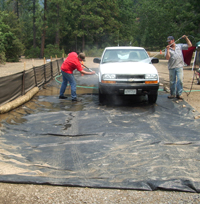
Prevent the spread of invasive plants by washing vehicles.
In 2012 the U.S. Forest Service, National Park Service, California Department of Food and Agriculture, UC Cooperative Extension, and the California Invasive Plant Council sponsored Preventing the Introduction and Spread of Invasive Weeds Workshops throughout California. Funding was provided by the U.S. Forest Service and the American Recovery and Reinvestment Act.
The May 2, 2012 workshop in Truckee was videoed and is available to view here.
Workshop Agenda
Preventing the Introduction and Spread
of Invasive Weeds Workshop
Best management guidelines for construction, aggregate production, maintenance operations and land managers
- Opening Remarks and Introduction
- Wendy West, University of California Cooperative Extension (3 mins.) - What is the Issue? Invasive Plant Biology and Vectors of Spread
- Sue Donaldson, University of Nevada Cooperative Extension (27 mins.) - Controlling Invasive Weeds through an Aggregate Quarry Inspection Program
- Garrett Dickman, Yosemite National Park (30 mins.) - Weed Control, Mine Reclamation, and the Surface Mining and Reclamation Act
- Leah Gardner, Office of Mine Reclamation, CA Dept. of Conservation (16 mins.) - USFS Lake Tahoe Basin Management Unit Aggregate Inspection Program
- Rena Escobedo, LTBMU, US Forest Service (18 mins.) - Best Management Practices for Work in Utility & Transportation Corridors
- Wendy West, University of California Cooperative Extension (19 mins.) - Yellow Starthistle Biology and Control
Stop the Spread of YST into the Sierra Nevada Mountains Project
- Wendy West, University of California Cooperative Extension (34 mins.) - Stop the Spread! Roundtable Discussion
- Wendy West, University of California Cooperative Extension (14 mins.)
Instructions for viewing these videos:
You may notice five icons on the upper right of the screen. The first icon, the four inward arrows turns the screen into full screen, the second icon turns it into a picture in a picture, the third icon makes it into a side by side picture, the next icon makes it a single picture – it can be the slide or the presenter, the last icon swaps the slide and the presenter. To get back to the side by side picture mode, hit the third icon down and you’ll get back to the side by side picture. You will also need to hit the swap button to make the slide bigger and the presenter smaller, or visa versa, but that’s up to you.[ top of page ]